case · 2026
HobbyPCB.
Role
Architect & sole engineer
Stack
- Next.js 16
- React 19
- Firestore
- Google Cloud Storage
- NextAuth v5
- Tailwind v4
- shadcn/ui
- Vercel
HobbyPCB
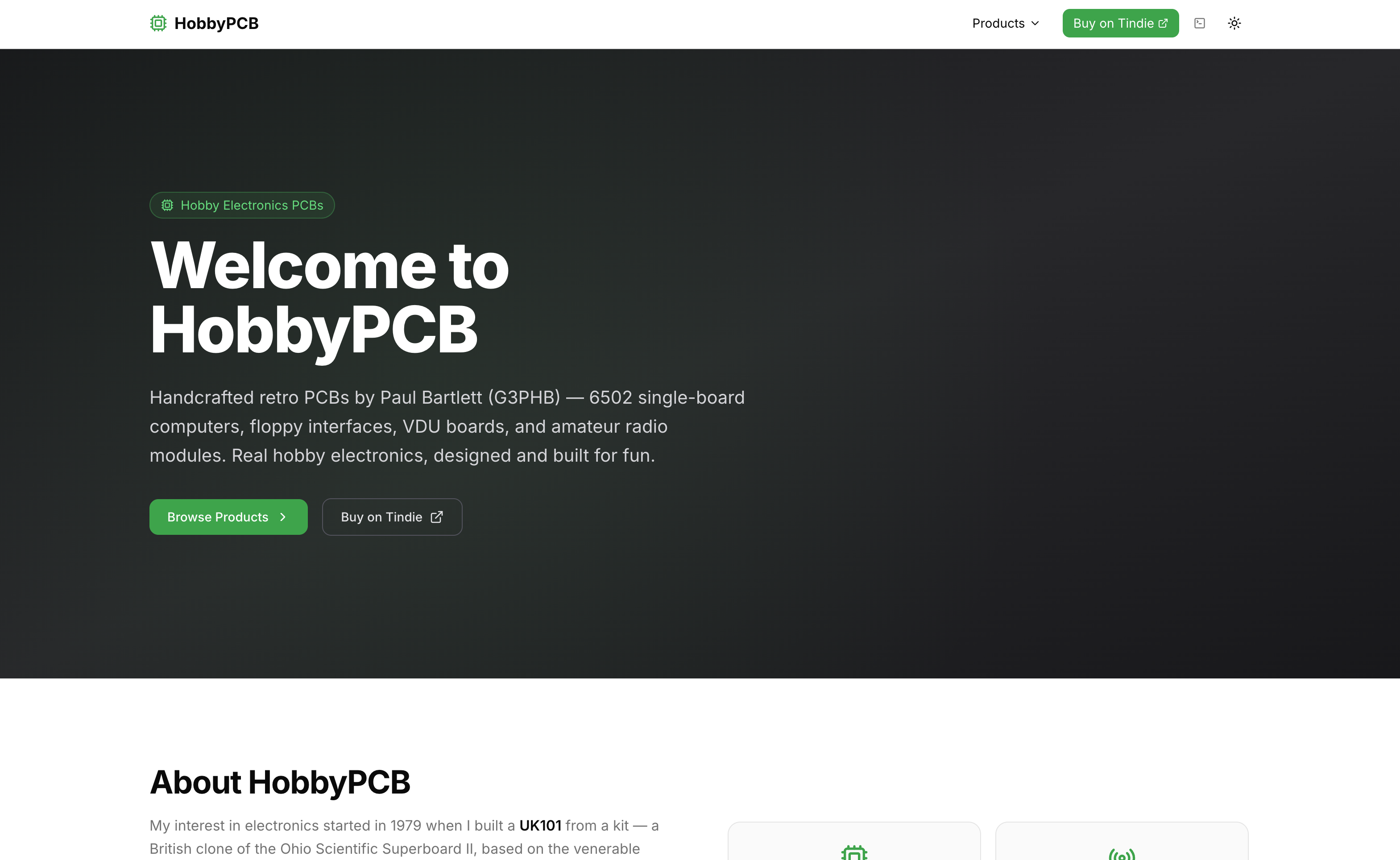
A shop/showcase site for my dad's 6502 and amateur-radio PCBs, with a CMS he can actually use, and a fully-functional fake terminal hidden in the menu bar.
TL;DR
A weekend rewrite of an Express + Handlebars site that had outlived its home on a Raspberry Pi. The new build runs on Next.js + Firestore + Vercel, ships a proper admin CMS so the content-editor (my dad) never touches HTML again, and hides a boot-to-shell terminal at /cli with a CRT filter, tab completion and a usable cat.
The site it replaced
The old site was Express + Handlebars, with almost all the content baked into .hbs files. It lived on a Raspberry Pi in my dad's study, fronted by a Cloudflare tunnel. It ran for around two years. Three things made it untenable:
- Ops. Every time the Pi rebooted or the Node process died, my dad had to SSH in and bring it back up.
- Content changes meant editing HTML. There was no CMS. Adding a product meant a new
.hbsfile, a redeploy, and a human who remembered what<div class="grid-item">did. - The Cloudflare account got hacked. An attacker injected a malicious "captcha" worker into the tunnel path, serving a fake challenge to visitors. That was the moment I stopped fixing the old thing and started rewriting.
The UI was also, objectively, ugly.
Brief and constraints
- Editor-facing: my dad has to run the site without me. No HTML, no CLI, no deploys.
- Developer-facing: a stack I could throw up in a weekend, hosted somewhere that auto-deploys from git and doesn't depend on hardware in his house.
- Cost: free tier everywhere. It's a hobby project, not a business.
- Feel: retro-adjacent without being a pastiche. The products are 6502 boards, the site should know that.
Stack
| Layer | Choice | Why |
|---|---|---|
| Framework | Next.js 16 (App Router, React 19) | Server components made the CMS/public split clean; Vercel fit was the default path. |
| Data | Firestore | Already familiar from other projects, and the Firebase console is a usable admin-of-last-resort GUI if anything in my CMS breaks. |
| Files | Google Cloud Storage (public-read bucket) | Same project as Firestore, no signed-URL overhead needed for a public catalogue. |
| Auth | NextAuth v5 | OIDC + password modes, env-toggled. |
| Styling | Tailwind v4 + shadcn/ui | Fast to assemble a coherent look without writing design from scratch. |
| Hosting | Vercel (free tier) | Git-push deploys, no Pi. |
I briefly considered Prisma + Neon. Familiarity won, I've used Firebase enough that the schema, security rules and Storage paths were muscle memory.
Architecture
All Firestore/GCS access runs through the Firebase admin SDK on the server. There is no client-side Firebase SDK anywhere, which means no public API key surface, no security-rules gymnastics, and no need for end-user auth on the catalogue side.
Firestore shape
Four collections, all flat:
pages/{id}, title, slug, markdown body, cover image URL,status: "draft" | "published", a denormaliseddownloads[]array for easy render-time access.images/{id}, uploaded image metadata (filename, public URL, timestamp).downloads/{id}, global download library, referenced by pages.config/homepage, singleton document with hero copy, about section, feature blocks.
Downloads are deliberately denormalised onto pages so a product view is a single document read rather than a fan-out. The global downloads collection is the library the editor picks from.
Rendering
Every route is force-dynamic, each request fetches from Firestore. That's a knowing choice for the traffic volume: the site gets hobbyist-scale visits, read-latency is fine, and the upside is that a content change is instantly live with no ISR revalidation dance. I'd reach for on-demand revalidation if the numbers ever demanded it. They haven't.
The CMS
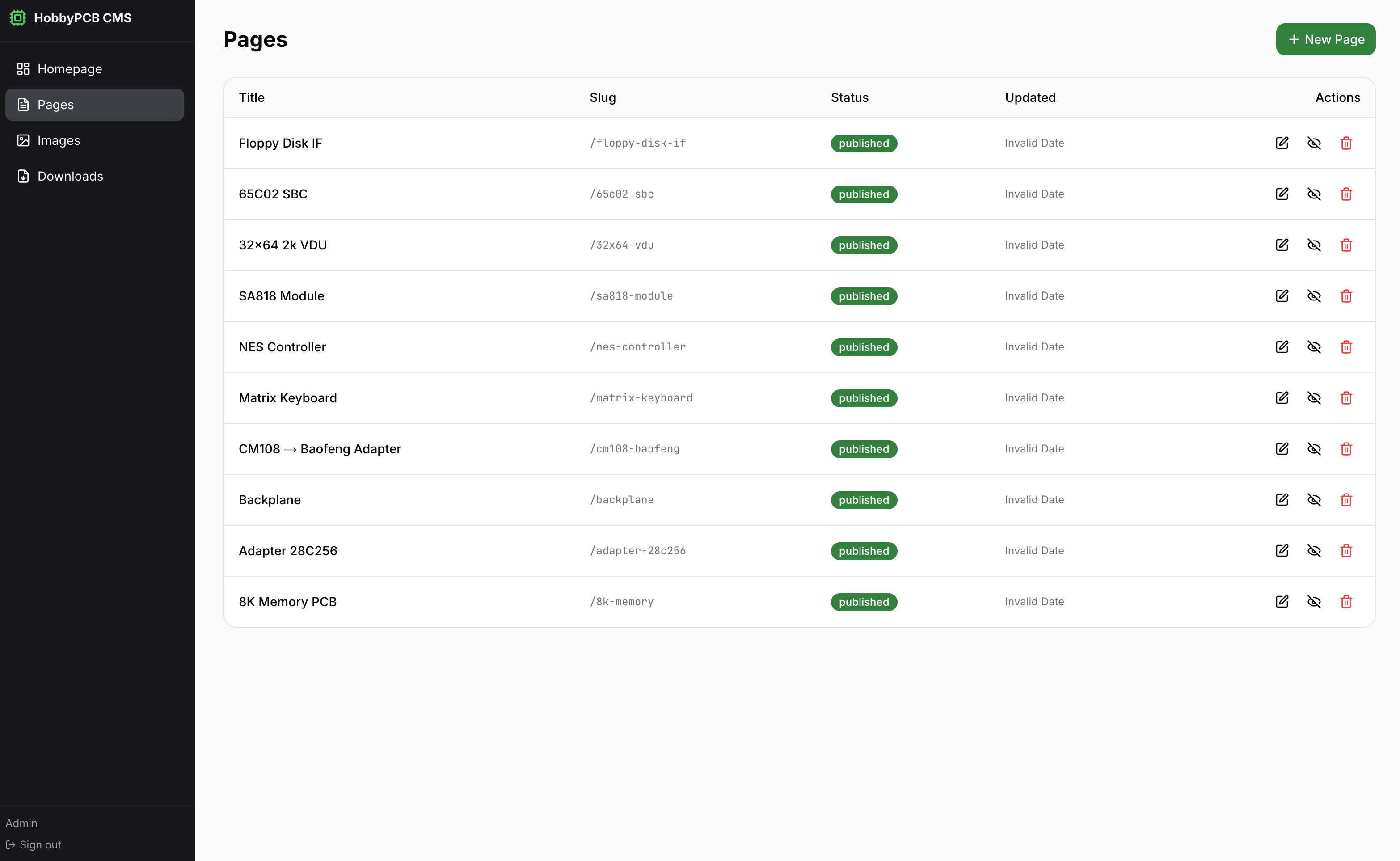
The CMS is the whole point of the rewrite. It covers:
- Pages, create/edit/publish/unpublish/delete. Markdown body with a live preview toggle, cover image picker, per-page downloads attached from the library, auto-slugified titles.
- Images, drag-and-drop upload to GCS, gallery view, copy-URL / copy-as-markdown helpers, inline insertion at cursor in the page editor.
- Downloads, a shared library for datasheets/firmware/gerbers. Uploaded once, linked into any page.
- Homepage, hero, about, and reorderable feature sections.
Tech choices inside the CMS:
- No form library. Plain HTML
<form>+ ReactuseState. For a single-editor CMS this is less code than bringing in react-hook-form or Formik would be, and the failure modes are entirely in my head. - Markdown via
marked+ DOMPurify on the preview. No MDX, content is prose with images and links, which ismarked's sweet spot. - No draft preview URL. The draft/publish flag on a page is the whole mechanism: drafts 404 on the public route, published pages render. Good enough for a one-editor site.
The first version of the CMS only managed products. The homepage editor was added after v1 because homepage changes were frequent enough that routing them through git was becoming a problem. It was the obvious gap once real use started.
Auth, and a quiet retreat from passkeys
Originally I set the CMS up with OIDC against my own self-hosted PocketID server, with passkey-based login. It was, objectively, the nicer story.
My dad uses the site from several devices. Enrolling a passkey on each one, and understanding what had happened when a new device couldn't log in, was too much friction. I reverted the default to a simple password mode.
The code still has both. AUTH_MODE=password takes the single ADMIN_PASSWORD env var; anything else wires up OIDC via NextAuth. I kept the OIDC path in because I was proud of it, and because future-me might want it back.
// lib/auth.ts
export const { auth, handlers, signIn, signOut } = NextAuth({
  providers: process.env.AUTH_MODE === "password"
    ? [Credentials({ /* password check */ })]
    : [{ id: "oidc", type: "oidc", /* OIDC config */ }],
  // ...
})
The CMS is guarded three ways, belt-and-braces:
proxy.tsmiddleware bounces unauthenticated requests to/cms/*to the sign-in page.- The CMS root layout does a server-side
await auth()check before rendering. - Every
/api/cms/*handler checks the session and returns 401 if missing.
The /cli terminal
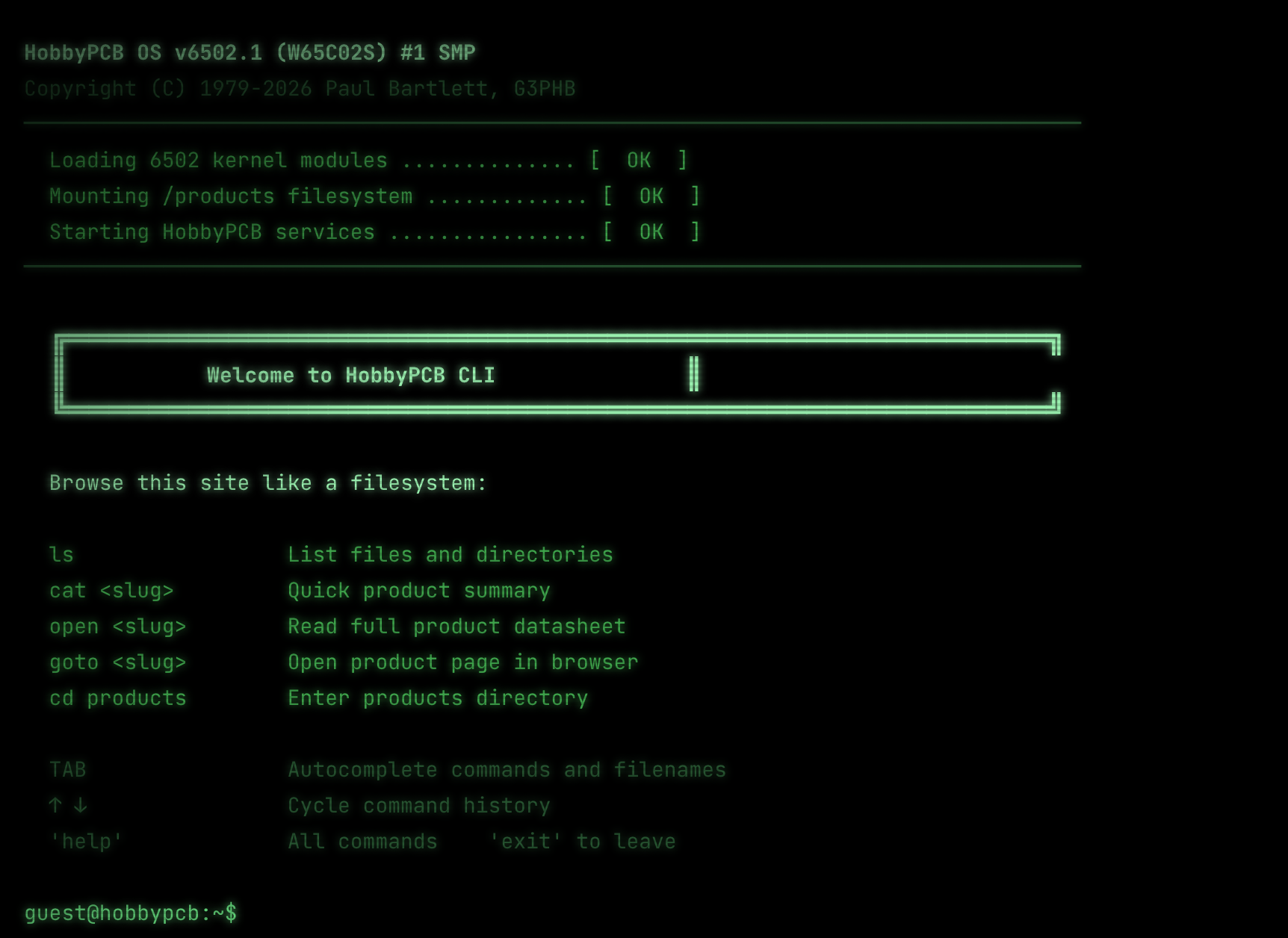
The terminal was bolted on after the main site shipped. The inspiration is two parts:
- "Boss mode" from 90s PC games, the Alt-Tab-to-a-fake-spreadsheet screen that pretended you were working.
- Fallout 3's RobCo terminals, green-on-black, slow text, scanlines, and the feeling that typing
catat a box should do something.
It lives behind a CLI Mode button in the menu bar. It's not hidden so much as a parallel interface.
Design rule: it has to actually work
My one hard requirement was that the terminal had to be a real second interface to the site, not a gimmick. If you cat a product slug you get its meta-description. If you open it you get the full page rendered as terminal text. goto navigates the real browser. The page data is the same data the public site reads, both routes hydrate from the pages collection.
cat was the must-have. If the terminal couldn't read product pages, it didn't justify existing.
Command surface
| Command | Behaviour |
|---|---|
ls [path] |
List products/ and about |
cat <slug> |
Meta-description, wrapped, with a size hint |
open <slug> |
Full page: description + body + downloads |
goto <slug> |
Actually navigate the browser to /<slug> |
cd, pwd |
Directory metaphor (~, ~/products, ..) |
whoami |
Paul Bartlett (G3PHB), callsign and all |
uname -a |
HobbyPCB 6502-retro 6502.1-SMP GNU/Linux W65C02S G3PHB |
man hobbypcb |
Real-feeling man page |
help, clear, exit |
What you'd expect |
Tab completion works for both commands and arguments (including slug completion for cat/open/goto), with a common-prefix fill when there are multiple matches. Up/down arrows walk command history.
A Snake game is in progress and will ship when it's worth shipping.
CRT effect
The CRT look is pure CSS, scanlines via repeating-linear-gradient, a radial vignette, green glow via text-shadow. No canvas, no shaders, no SVG filters.
{/* scanlines */}
<div className="pointer-events-none fixed inset-0 z-10" style={{
  backgroundImage:
    'repeating-linear-gradient(0deg, transparent, transparent 2px, rgba(0,0,0,0.12) 2px, rgba(0,0,0,0.12) 4px)',
}} />
{/* vignette */}
<div className="pointer-events-none fixed inset-0 z-10" style={{
  background: 'radial-gradient(ellipse at center, transparent 55%, rgba(0,0,0,0.7) 100%)',
}} />
Full transparency: the visual effect was done by Claude during pair-programming, not hand-tuned by me. I would not have landed on those specific numbers myself in a weekend.
The best review
After Dad poked around the live site, he sent me this:
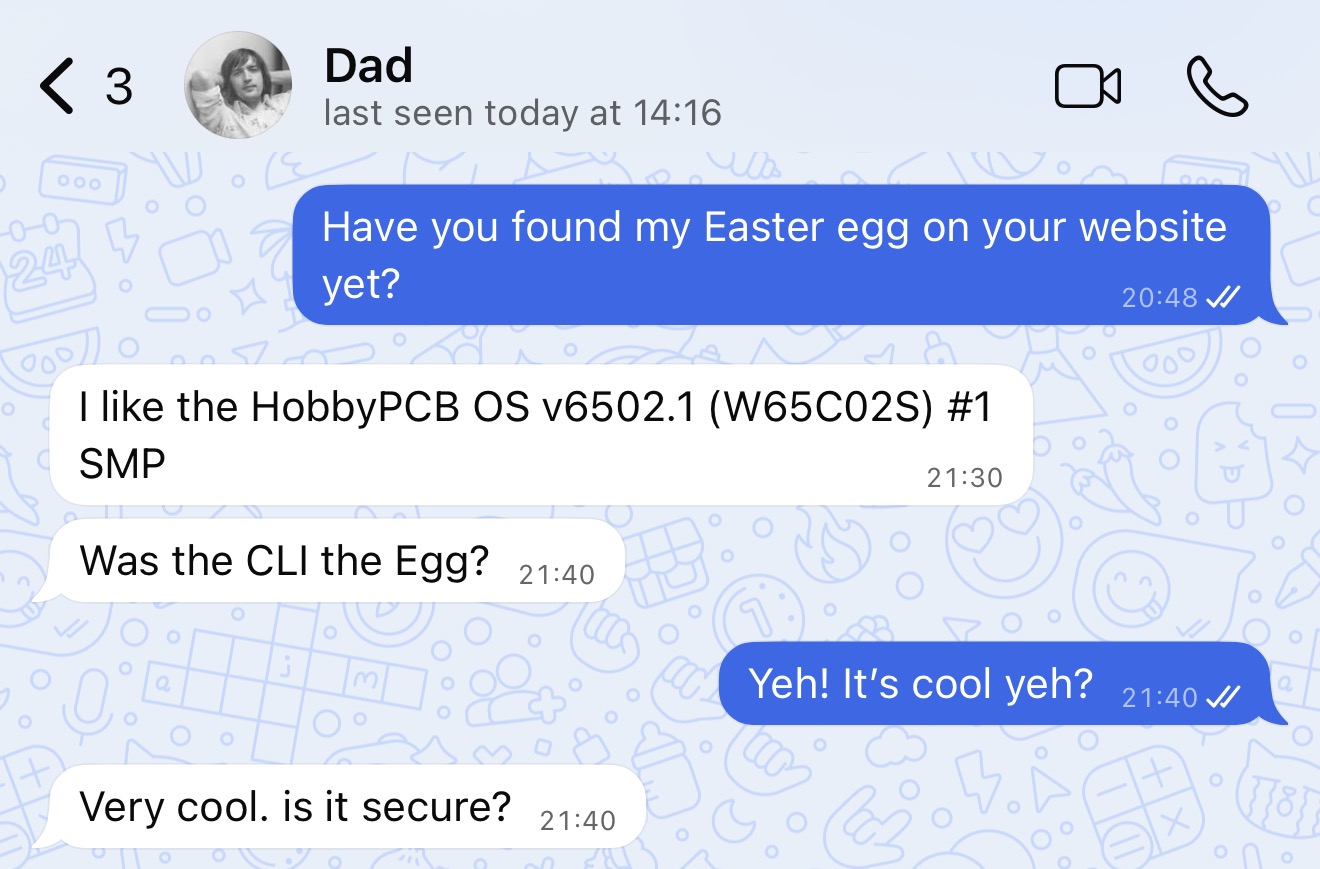
He thought it was a real terminal. He'd run uname -a, read the boot string back to me as if it were system telemetry, and asked in earnest whether the fake shell was secure. I'll take that.
The bump.ts deploy hack
On Vercel's free tier, only my account can trigger deploys. When my dad changes content through the CMS that's fine, content lives in Firestore, no rebuild needed. But if he pushes to the repo (he occasionally tweaks copy directly in GitHub) those commits don't auto-deploy.
The workaround is a one-line file:
// bump.ts
export const bump = "bump1234"
Edit the string, push, Vercel sees a change authored by me and redeploys. Crude, works, documented as a curiosity rather than something I'm proud of.
What I built with Claude
I roughed out the data model and a proof-of-concept by hand, then paired with Claude for the bulk of the final build. The CRT styling and most of the CliTerminal internals (tab completion, markdown-to-terminal wrapping, boot-sequence timing) are Claude's work under my direction. The architecture, stack choices, auth strategy and CMS shape are mine.
Weekend build, solo, end to end.
Outcome
- Migration from a Raspberry Pi behind a compromised Cloudflare tunnel to Vercel + Firebase. No more 2am "the site is down" phone calls.
- My dad edits products and homepage copy himself. He hasn't had to touch HTML since.
- Old Express site: live for ~2 years. New site: deployed over a weekend, has "just worked" since.
- Free tier, end to end.
Links
- Live site: www.hobbypcb.co.uk
- Repo: private
next case →
XCloud Condenser
A desktop app that adds Xbox Cloud Gaming titles, and the streaming services you actually watch, to your Steam library, with proper artwork.